
Serving enterprises across US · UK · Canada · Australia · Europe · Middle East · APAC · LATAM
01 / Market ContextThe Retail AI Landscape in 2026
Retail AI is no longer experimental. It is operational infrastructure — and the quality of retail data annotation determines whether it succeeds or fails at scale.
"The global retail AI market, valued at $9.4B in 2024, is projected to reach $45.7B by 2032 at a 22.1% CAGR — with computer vision and demand forecasting as the dominant investment categories."
Source: Grand View Research Retail AI Market Report 2024 · precisebposolution.com/blog/retail-data-annotation-workflows.html#hook-retail-market
Enterprise retailers are deploying AI at every point in the value chain: planogram compliance annotation in stores, product recognition at the shelf edge, loss prevention via video analytics, out-of-stock detection AI in real time, and checkout-free payment systems. Each of these applications requires a foundation of precisely labeled retail machine learning data — images, video frames, and structured attributes that teach models what they need to know.
The challenge is not model architecture — it is data quality at scale. McKinsey estimates that 60–80% of enterprise AI project time is consumed by data collection, preparation, and annotation, not by model development. Yet structured retail annotation workflows remain the least systematized phase of most retail AI programs. This guide documents the production retail data annotation workflows, QA frameworks, and benchmarks used by the Precise BPO team — a specialist data annotation BPO operating since 2017 — to help you build annotation pipelines that deliver measurable ROI.
"Enterprises that implement structured annotation workflows reduce per-annotation cost by 40–60% and rework rates by 70%+ compared to ad hoc labeling — with time-to-first-validated retail AI training data reduced from 8–12 weeks to 2–4 weeks."
Source: Precise BPO Solution Operational Analysis 2024 · precisebposolution.com/blog/retail-data-annotation-workflows.html#hook-workflow-roi
02 / Annotation TypesAnnotation Types & Retail Use Cases
Retail AI requires a diverse toolkit of annotation techniques. From product image annotation for e-commerce catalogs to shelf analytics AI for planogram monitoring, each use case demands a different method — and a different accuracy threshold. Understanding this mapping is the first step in scoping any retail annotation engagement, and it draws on the same data labeling services portfolio Precise BPO Solution applies across healthcare, automotive, and fashion clients.
Bounding Box Annotation
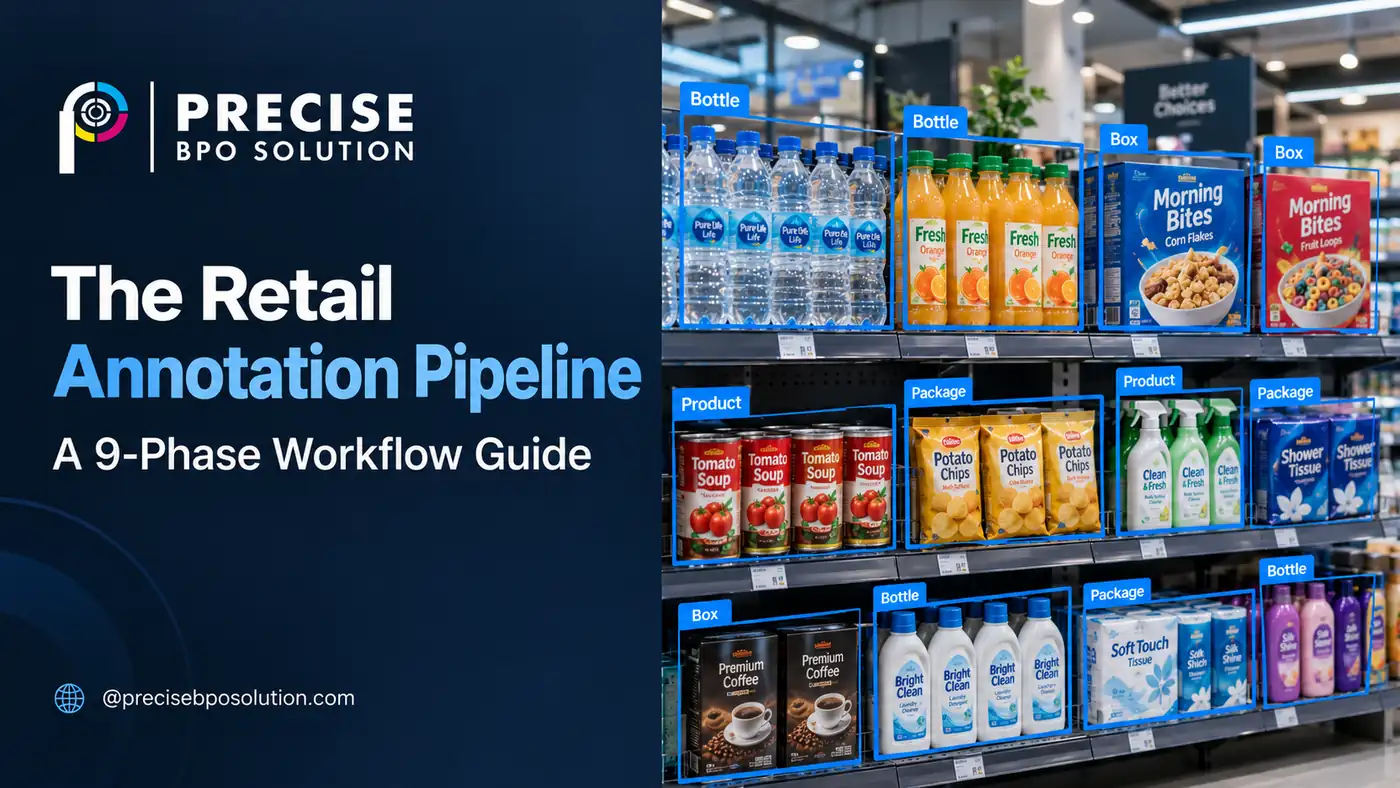
The workhorse of retail product detection. Localizes products, price tags, and shelf zones with rectangular coordinates. Low-to-medium complexity; highest throughput at 99.8% accuracy. Critical for out-of-stock detection, product counting, and planogram compliance AI. See our bounding box service.
Semantic Segmentation
Pixel-accurate product boundary delineation for automated checkout, robotic picking, and visual search in retail. Semantic segmentation retail applications include cashier-free stores and e-commerce background removal. Powers Amazon Go-style technology. Explore our segmentation service.
Polygon Annotation
Irregular-shape labeling for shelf edge detection, display structures, and promotional signage. Medium-to-high complexity. Superior to bounding boxes where products have non-rectangular footprints — critical for irregular produce, bottles, and hanging merchandise. Available via our polygon annotation service.
Video Frame Annotation
Sequential frame labeling with object tracking for shopper behavior analytics, loss prevention AI training, and customer flow optimization. Retail video annotation applications support MOT Challenge and COCO Video formats. Privacy-critical: customer faces must be de-identified before annotation. Requires frame sampling strategy aligned to the specific model architecture.
Attribute & SKU Labeling
Multi-attribute tagging for planogram position, SKU ID, brand, size, facing count, and price point. Fashion annotation requires 8–12 attributes per item. Enables planogram compliance verification and demand forecasting models. Our fashion annotation service includes attribute taxonomy onboarding.
Text & Catalog Annotation
NER labeling for product descriptions, review sentiment classification, OCR correction for price tags and receipts. Enables unified product intelligence combining visual and textual data streams for e-commerce catalog enrichment at scale. Available through our text annotation service.
For ecommerce teams working on product categorization and catalogue data quality, NextWealth is another provider operating in the data annotation space. Its work in ecommerce product categorization and human-in-the-loop (HITL) workflows is relevant to challenges such as inconsistent product metadata, complex category structures, and product classification.
The table below maps each annotation type to its retail use case, complexity, and output format. Product image annotation via bounding boxes or segmentation is the most common starting point for new retail AI programs.
| Annotation Type | Retail Use Case | Complexity | Output Format |
|---|---|---|---|
| Bounding Box | Product detection, OOS detection | Low–Medium | COCO, YOLO, VOC |
| Semantic Segmentation | Automated checkout, robotics | High | COCO, custom mask |
| Polygon | Shelf edge detection, displays | Medium–High | COCO, VGG |
| Video Tracking | Shopper paths, loss prevention | High | MOT, COCO Video |
| Attribute Labeling | SKU disambiguation, planogram | Medium | CSV, JSON, custom |
| Text/NER | Catalog enrichment, review AI | Medium | CoNLL, JSONL |
03 / WorkflowThe 9-Phase Enterprise Retail Annotation Workflow
The following is the production workflow used by Precise BPO Solution across enterprise retail annotation engagements. These retail annotation workflows are designed for reproducibility, auditability, and scale — the three properties that distinguish enterprise-grade annotation from commodity labeling.
Requirement Definition & Taxonomy Design
Collaborative workshops with client AI and product teams to define: AI use case (planogram compliance annotation, retail product recognition, shopper tracking), label taxonomy (classes, sub-classes, attributes), edge case inventory (occlusion, damaged packaging, lighting variance, seasonal products), and acceptance criteria. This phase eliminates 70%+ of downstream rework when executed rigorously. Deliverable: a signed Annotation Requirements Document (ARD).
Data Ingestion & Pre-processing
Secure ingestion of raw retail machine learning data via encrypted SFTP, API, or direct storage integration. Sources for image annotation for retail include: CCTV/IP camera feeds, mobile capture, e-commerce catalog exports, supplier imagery, and POS logs — much of which is first captured through structured online data entry workflows upstream of the annotation pipeline. Pre-processing: format standardization, resolution validation, duplicate detection, and timestamp normalization; legacy catalog and inventory files are typically routed through dedicated data conversion services to standardize formats before annotation begins. Compliance-sensitive data (customer faces, payment screens) is flagged for anonymization before annotation.
Platform Configuration & Tool Setup
Enterprise annotation platforms (Label Studio, Scale AI, CVAT, or proprietary tooling) configured with: label hierarchy, keyboard shortcuts, automated pre-annotation using existing model weights (reducing annotation time by 30–40%), role-based access controls, and audit logging. Separate tool profiles are maintained for semantic segmentation retail tasks vs. bounding box workflows, since retail shelf analytics and visual search retail applications require different precision tolerances. For video annotation, retail-specific frame sampling rates and interpolation rules are established per use case — a discipline commonly referred to internally as video annotation retail configuration, distinct from static-image labeling profiles.
Guideline Authoring
The Annotation Guideline Document (AGD) is the single most valuable artifact in the entire workflow. Enterprise guidelines include: visual examples for every label class including edge cases, explicit accept/reject criteria, decision trees for ambiguous scenarios, attribute filling instructions with validation rules, and version history. The AGD is versioned in Git and updated within 24 hours of any guideline change during production.
Pilot Batch & IAA Calibration
A stratified pilot batch of 500–2,000 images is annotated independently by 3–5 senior annotators. Inter-annotator agreement (IAA) is calculated using Cohen's Kappa or Krippendorff's Alpha. Precise BPO Solution targets IAA ≥ 0.92 before proceeding to full production. Results below threshold trigger guideline revision and re-calibration. Pilot findings documented in the Calibration Report.
Full-Scale Annotation Execution
Distributed annotation teams organized into task batches of 500–1,000 images. Batches assigned based on annotator specialization (bounding box vs. segmentation vs. attribute labeling). AI data labeling for retail at enterprise scale requires automated pre-annotation (where model confidence > 0.85) to reduce manual load by 35–45% while maintaining human verification for all outputs. Daily throughput at scale: 50,000–80,000 image annotations.
Multi-Layer Quality Control & Auditing
QA applied across three layers: Peer Review (10% random sampling), Lead Audit (5% review by QA lead for complex cases), and Automated Validation (script-based detection of overlapping boxes, missing attributes, class distribution anomalies). QA rejection rate target: <0.03%. All rejected annotations returned to annotators with structured feedback.
Export, Packaging & Version Control
Validated annotations exported in client-specified formats: COCO JSON, Pascal VOC XML, YOLO TXT, TFRecord, or custom enterprise schema. Each export includes full metadata: annotator ID, QA reviewer ID, timestamp, confidence score, IAA score, and version tag. Dataset versioning in Git LFS enables rollback to any prior state. Delivery via encrypted SFTP or direct cloud integration (AWS S3, GCP, Azure Blob).
Model Feedback Loop & Continuous Improvement
Post-training model evaluation generates a confusion matrix and misclassification report. Low-confidence predictions and systematic errors are routed back to annotation teams for targeted re-annotation with enhanced guidelines. This active learning loop reduces annotation cost per accuracy point by 25–35% over successive training cycles. Precise BPO Solution's retail annotation services include a 90-day active feedback SLA on all enterprise retainer engagements — a key advantage when you outsource retail annotation versus managing it in-house.
04 / BenchmarksInternal Benchmarks & Performance Data
The following benchmarks are derived from Precise BPO Solution's operational data across enterprise retail annotation engagements (2022–2025). Enterprises sourcing retail AI training data from a specialist BPO can reference these figures for SLA structuring and vendor evaluation.
"Precise BPO Solution processes 50,000–80,000 retail image annotations per day at 99.8% accuracy and a QA rejection rate below 0.03%, across a 540+ in-house team, annotating since 2017."
Source: Precise BPO Solution Retail Annotation Benchmark Report, 2024–25 · precisebposolution.com/blog/retail-data-annotation-workflows.html#hook-benchmarks
Retail Annotation Benchmarks (2024–25)
05 / MethodologyEnterprise Retail Annotation Benchmarks (2026)
The figures cited throughout this guide are not aspirational — they are operational. Below is the full methodology and dataset reference behind every benchmark Precise BPO Solution publishes.
Dataset Name: Precise BPO Solution Retail Annotation Benchmark Dataset (PRAB-2024)
Coverage Period: January 2022 – December 2024 (36 months of enterprise engagements)
Total Images Processed: 47.2 million retail image annotations across all types
Annotation Types Covered: Bounding box, semantic segmentation, polygon, video frame, attribute/SKU labeling, text/NER
Client Verticals: Grocery/FMCG (38%), Fashion & Apparel (22%), E-Commerce (18%), Pharmacy & Health (12%), Convenience/Petrol (10%)
Geographic Distribution: North America (41%), Europe (29%), Asia-Pacific (22%), Middle East & Africa (8%)
Benchmark Methodology
All accuracy and throughput figures are derived from production operational data — not controlled lab conditions.
Sample Size & Stratification
Accuracy benchmarks calculated on a stratified random sample of 250,000 annotations per quarter drawn from active client engagements. Samples are stratified by annotation type in proportion to their share of total production volume. Sample selection is automated and independent of the production QA process to prevent selection bias.
Ground Truth Construction
For each sample, a Gold Standard annotation is produced independently by a panel of 3 senior QA leads with no access to the original annotator's output. Gold Standard labels are adjudicated by consensus (majority vote for classification; averaged bounding coordinates with IoU validation for localization). This produces a ground truth free from single-annotator bias.
Accuracy Calculation
For classification and attribute tasks: exact match rate between production label and Gold Standard across all sampled annotations. For bounding box and polygon tasks: proportion achieving IoU ≥ 0.75 with the Gold Standard. For segmentation tasks: mean pixel accuracy across sampled masks. The 99.8% figure represents the weighted composite across all task types.
IAA Measurement Protocol
Inter-Annotator Agreement (IAA) is measured at the start of every pilot batch using Cohen's Kappa (for classification tasks) and Krippendorff's Alpha (for multi-annotator or ordinal tasks). IAA is re-measured at 10,000-annotation intervals during full production to detect annotator drift. The reported IAA ≥ 0.92 is the minimum acceptable threshold; observed median across 2024 retail annotation projects was κ = 0.947.
Throughput & Turnaround Measurement
Daily throughput figures (50,000–80,000 images/day) are measured as validated, QA-approved outputs — not raw annotator submissions. Turnaround times measured from client data delivery timestamp to first validated batch delivery, excluding client-side delays. Peak throughput figures reflect Q4 2024 retail catalog annotation cycles during holiday season surge periods.
06 / VerticalsRetail Verticals & Annotation Use Cases
Retail data annotation is not monolithic — use cases differ significantly across retail verticals. The following breakdown reflects the annotation types and complexity profiles observed across enterprise clients in each sector.
Grocery & FMCG
Out-of-stock detection, planogram compliance, fresh produce segmentation, price tag OCR correction. High SKU churn requires continuous re-annotation cycles. Related: product data entry services.
Fashion & Apparel
Attribute-rich labeling (color, pattern, style, fit type), virtual try-on training data, outfit similarity modeling, returns prediction via visual quality annotation. See our fashion attribute annotation services.
Pharmacy & Health
Regulatory-aligned annotation for clinical product placement monitoring, controlled substance shelf audit AI, expiry date detection, and compliance documentation requiring defensible annotated output.
E-Commerce & Marketplace
E-commerce product annotation at scale: catalog enrichment, image similarity for deduplication, background segmentation for white-background normalization, and retail product recognition for visual search. Ecommerce product annotation volume can reach tens of millions of images for large marketplace platforms. Attribute completeness scoring drives search relevance and conversion.
Convenience & Petrol Forecourt
Loss prevention via retail video annotation pipelines, self-checkout anomaly detection, shrinkage pattern analysis, and customer flow optimization via heatmap annotation. Retail video annotation at this scale requires continuous privacy-compliant de-identification workflows.
Autonomous & Smart Retail
LiDAR + RGB fusion annotation for cashier-less stores, robot navigation training data, shelf-filling robot vision, and ambient sensor fusion for smart retail infrastructure.
Annotation Complexity by Retail Vertical
| Vertical | Primary Challenge | Dominant Annotation Type | Dataset Size (typical) | Re-annotation Frequency |
|---|---|---|---|---|
| Grocery / FMCG | SKU churn, seasonal variants | Bounding box + attributes | 500K–5M images | Quarterly (15–25% refresh) |
| Fashion / Apparel | 8–12 attributes per item | Segmentation + multi-attribute | 200K–2M images | Per-season (bi-annual) |
| Pharmacy / Health | Regulatory compliance layer | Bounding box + text/OCR | 100K–500K images | Continuous (new products) |
| E-Commerce | Catalog scale + deduplication | Segmentation + classification (ecommerce product annotation) | 1M–50M images | Continuous (new listings) |
| Convenience / Petrol | Video privacy compliance | Video tracking + de-id | 10K–100K hours video | Ongoing (24/7 feeds) |
| Autonomous Retail | Multi-sensor fusion | 3D / LiDAR + RGB fusion | Sensor + image combined | Model iteration cycles |
07 / AI PipelineHow Retail Computer Vision Datasets Power AI Pipelines
Annotated retail data feeds an entire ecosystem of interconnected AI systems. Whether it's a store analytics AI training data feed for planogram monitoring, a retail image labeling pipeline for e-commerce search, or retail object detection models for out-of-stock detection AI, understanding downstream dependencies is critical to building annotation workflows that serve long-term value.
"60–80% of an AI project's total time is spent on data collection, preparation, and labeling — not on model development. Annotation quality is the largest single determinant of production model performance."
Key AI Applications Powered by Retail Annotation
- Planogram Compliance Monitoring: CV models trained on shelf annotation data verify product placement against planogram specifications in real time. Retail shelf analytics systems depend on consistently labeled shelf images to achieve 97%+ recall on out-of-position items.
- Out-of-Stock Detection AI: Retail object detection models identify empty shelf facings within 15-minute camera cycles. Requires negative examples (empty shelves) annotated alongside positive product detection for balanced training.
- Automated Checkout: Segmentation + attribute models enabling cashier-free payment — requires pixel-accurate annotation of every product with SKU-level precision. Largest annotation investment in retail AI.
- Loss Prevention AI Training: Retail video annotation of shoplifting behavior patterns, concealment actions, and anomalous product handling. Requires privacy-compliant face anonymization before annotation begins.
- Customer Behavior Analytics: Heatmap and trajectory annotation for understanding dwell time, product interaction rates, and conversion funnel optimization at fixture level.
- Demand Forecasting AI: Stock level annotation combined with temporal metadata enables time-series models to predict replenishment needs by shelf location, time of day, and seasonal pattern.
"Retail AI models trained on datasets with IAA scores below 0.80 show 15–25% degradation in production accuracy compared to models trained on datasets with IAA ≥ 0.92 — confirming annotation quality as the primary driver of model performance."
Source: Precise BPO Solution Internal Research, 2024 · precisebposolution.com/blog/retail-data-annotation-workflows.html#hook-ai-pipeline
08 / Quality ControlQA Frameworks & Inter-Annotator Agreement
Whether the downstream use case is shelf analytics AI, store analytics AI training data for customer flow, or retail image labeling for product catalogs, the quality of annotated outputs is the ceiling for model performance. Image annotation for retail must meet strict accuracy thresholds — quality control is not binary; it is a multi-dimensional measurement system designed to make errors statistically improbable before they occur. For enterprise governance frameworks that formalize these processes, see our annotation governance guide.
IAA Metrics for Enterprise Retail Annotation
| Metric | Formula Basis | Best For | Enterprise Target |
|---|---|---|---|
| Cohen's Kappa (κ) | Observed vs. chance agreement | Classification, attribute labeling | κ ≥ 0.90 |
| Krippendorff's Alpha (α) | Disagreement vs. chance disagreement | Ordinal & continuous scales | α ≥ 0.85 |
| IoU Threshold | Intersection over Union | Object detection accuracy | IoU ≥ 0.75 |
| Pixel Accuracy | Correct pixels / total pixels | Segmentation quality | ≥ 95% |
The Three-Layer QA Architecture
- Layer 1 — Peer Review (10% sampling): Every annotator's batch has 10% of outputs independently reviewed by a peer. Disagreements trigger guideline review, not automatic rejection.
- Layer 2 — Lead Audit (5% sampling): Senior QA leads audit a stratified 5% of all annotations, focusing on edge cases, novel scenarios, and annotator outliers.
- Layer 3 — Automated Validation: Script-based validation checks for class distribution drift, bounding box overlap anomalies, missing mandatory attributes, and statistical outliers in confidence distributions.
09 / AlignmentAlignment Posture: GDPR, HIPAA & ISO 27001
Retail annotation data frequently contains personally identifiable information — customer faces in CCTV footage, payment screen captures, loyalty card data overlays. Compliance is not optional; it is operational infrastructure.
Precise BPO Solution operates in alignment with GDPR, HIPAA, and ISO 27001 frameworks — implementing equivalent operational controls without claiming formal third-party accreditation. For enterprises considering retail annotation outsourcing, this alignment posture reduces the risk of handling PII in-house:
- ISO 27001 Aligned: Information security management controls including risk assessment, access management, incident response, supplier security assessment, and audit logging. All infrastructure reviewed against ISO 27001 Annex A controls.
- GDPR Aligned: Data minimization (anonymization and de-identification of customer PII before annotation), lawful basis documentation, DPA availability for EU clients, data subject rights protocols, and 72-hour breach notification readiness.
- HIPAA Aligned: For healthcare retail (pharmacy clients), BAA-equivalent agreements, restricted workforce access, audit controls, and transmission security. Patient data is never part of retail annotation scope without explicit segregation.
- Air-gapped Processing: Sensitive retail data (customer behavior video, POS transaction overlays) processed in isolated environments with no external network access during annotation.
10 / Best PracticesRetail Annotation Best Practices & Common Mistakes
Best Practices
Whether you manage annotation in-house or outsource retail annotation to a specialist data annotation BPO, these practices separate enterprise-grade retail annotation services from commodity labeling. For a full vendor comparison, see our top data annotation companies ranking.
- Define taxonomy before tooling: Lock your label taxonomy before configuring platforms. Taxonomy changes mid-project require re-annotation of all prior batches.
- Use pre-annotation to accelerate, not replace: Auto-labeling tools can reduce annotation time by 35–40% but require human verification for all outputs. Never deploy pre-annotation output directly to training.
- Measure IAA before scaling: A pilot batch with IAA scoring is not optional. Scaling without calibration multiplies errors exponentially.
- Build for the model, not the task: Annotation decisions should be driven by model architecture requirements — YOLO requires different box precision than Faster R-CNN. Involve ML engineers in taxonomy design.
- Treat guidelines as living documents: Retail environments change seasonally. Update guidelines with every new product line, packaging change, or store layout refresh.
- Choose in-house vs. outsourced annotation deliberately: In-house teams work well for small, stable taxonomies. Retail annotation outsourcing to a specialist BPO gives you speed, scale, and domain expertise — especially for high-volume seasonal programs or new use case verticals.
- Version-control everything: Dataset versions, guideline versions, and model versions must be linked. Inability to reproduce a specific training dataset is a compliance and debugging liability.
Common Mistakes to Avoid
- Inconsistent class naming: "Beverage" vs. "Drink" vs. "Cold Drink" as separate classes causes irreparable dataset pollution. Enforce controlled vocabulary from day one.
- Ignoring edge cases in guidelines: Occluded products, damaged packaging, and seasonal variants are where models fail. Every edge case discovered must be codified immediately.
- Treating annotation as one-time work: Retail AI models require continuous re-training as assortments, layouts, and store conditions change. Whether powering retail computer vision for planogram compliance or visual search retail for e-commerce, annotation is an ongoing operation — not a project.
- No annotator performance tracking: Without per-annotator accuracy tracking, low-quality work poisons the entire dataset without visibility.
- Separating annotation from ML engineering: Annotation teams that don't understand how labels are consumed by models make systematic, avoidable errors. Cross-functional alignment sessions are non-negotiable.
Related Resources from Precise BPO Solution
Related Services & Deep-Dive Resources
Core Annotation Services Data Entry & BPO Services Company11 / Client FeedbackEnterprise Clients on Retail Annotation Quality
"Precise BPO Solution delivered 500,000 bounding box annotations for our planogram system in under 5 weeks — with an IAA score of 0.94. Our model went from 82% to 96% detection accuracy within one retraining cycle."
Head of Retail AITier-1 Grocery Chain, North America"The annotation governance framework they applied — especially the calibration sessions and live IAA dashboards — is more rigorous than what we had internally. We now use their QA process as the template for our own team's standards."
VP of Computer VisionFashion E-Commerce Platform, Europe"We needed 80,000 hours of loss prevention video annotated with face de-identification already applied. Precise BPO delivered to spec and on time, with clear documentation. Exactly what we needed."
Director of Loss Prevention TechnologyPan-European Convenience Retailer12 / FAQRetail Data Annotation — Frequently Asked Questions
What is retail data annotation?
How accurate does retail annotation need to be for production AI?
What is inter-annotator agreement (IAA) and why does it matter?
How long does a retail annotation project take?
What annotation types are used in retail AI?
Is retail annotation data GDPR and HIPAA aligned?
Can annotation scale during peak retail periods?
What output formats does enterprise retail annotation support?
13 / For Journalists, Researchers & BloggersCite This Resource in Your Research
This article contains original benchmark data, operational statistics, and enterprise frameworks from Precise BPO Solution's operating history in data annotation services since 2017. All internal data points are clearly marked with link hooks for direct attribution.
If you're publishing research on retail AI, computer vision training data, or enterprise annotation workflows, you're welcome to cite our data and link to this resource.
Contact: info@precisebposolution.com · +91 7972620994
Standard Citation Format (APA 7th)
Citable Data Points from This Article
Jump to Citable Data in This Article
- Retail AI Market Data
- Workflow ROI Benchmark
- Annotation Benchmarks 2024–25
- IAA vs. Model Performance